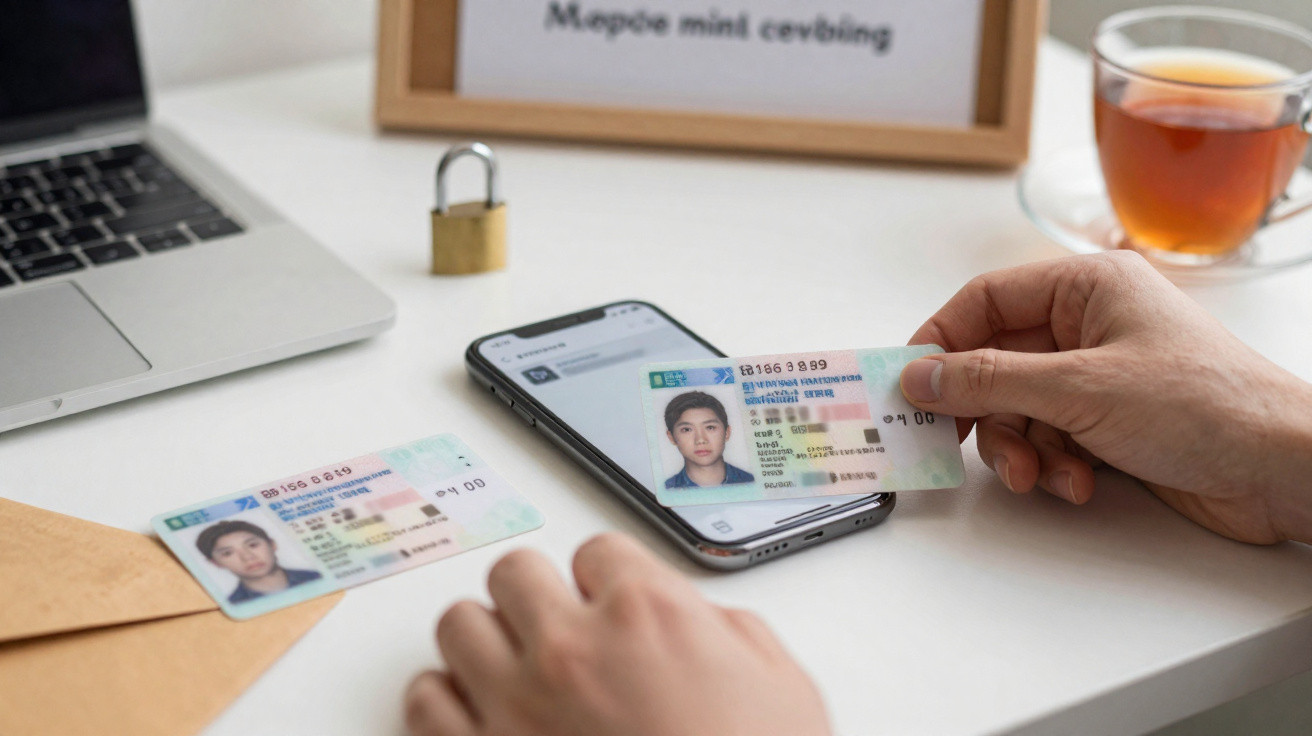
A photo of your driving licence can seem like routine admin: proof of age, an online identity check or a tenancy application. Yet a clear image can contain enough personal information to make later scams more believable, particularly when criminals combine it with details obtained elsewhere.
Reports of an alleged breach involving identity-document images are a prompt to take calm, practical steps. The useful trick is not replacing every document or closing every account: secure the accounts that unlock the rest, check for unusual activity and treat unexpected contact as suspicious.
A driving licence is more than proof of age. A clear image should be handled with the same care as a passport.
Why a leaked licence image can matter
A UK photocard driving licence normally shows your name, date of birth, address, photograph, signature and driving-licence number. An organisation that checked your identity may also have retained other material, such as a selfie, a video check, supporting documents or technical information linked to an upload.
A licence image on its own should not be enough for someone to access your bank account. Banks and responsible lenders use several checks, and should not rely solely on a photograph of ID. The risk rises when those details are paired with information from another breach, a phishing message, public social-media posts or an old account.
Criminals may use personal details to:
- make a phishing email, text or phone call sound convincing;
- try to open credit, mobile-phone or buy-now-pay-later accounts;
- impersonate you with retailers, providers or customer-service teams;
- attempt account recovery by answering basic identity questions;
- target family members with a plausible message claiming you need urgent help.
The first sign of a problem may arrive weeks or months later. That is why a few checks now are more useful than panic.
Establish whether you may be affected
If an organisation says it has had a data breach, read its notice carefully. It should explain what information may have been involved, what the organisation is doing and how it will contact customers.
Do not use a link or telephone number in an unexpected text or email to check your status. Instead, type the organisation’s web address into your browser, use its official app, or find contact details on a statement you already hold.
Keep a short record of:
- the service where you supplied your ID;
- the email address and mobile number used for that account;
- when you completed the identity check;
- any reference number and genuine correspondence about the incident.
Do not send a fresh copy of your licence to somebody who says they are checking whether you were affected. Follow-up phishing often exploits the uncertainty created by a breach.
Three useful checks
Secure your email account. If its password is reused anywhere, change it immediately to a unique, strong password. Turn on two-step verification or a passkey where available. Your inbox is especially important because it can be used to reset other accounts.
Review financial activity. Look through current accounts, credit cards, savings accounts and digital wallets for payments, new payees or contact-detail changes you do not recognise.
Check your credit reports. You can obtain a free statutory credit report from the main UK credit reference agencies. Look for unfamiliar searches, accounts, addresses or financial links, then query anything suspicious with both the lender and the agency.
Protect the accounts that matter most
Prioritise the accounts that could give an intruder access to others: email, online banking, your mobile-network account and major shopping accounts.
A password manager can make it much easier to use a different long password for every service. Where possible, use a passkey or authenticator app for two-step verification. Text-message codes remain useful, but a criminal may try to take control of a phone number through social engineering or a fraudulent SIM-swap request.
Contact your mobile provider through its official channels if you unexpectedly lose service, receive a SIM-change notification you did not request, or are told that your number is being moved to another network. These are reasons to act quickly.
Also check account-recovery options. Remove old email addresses and phone numbers, and make sure that no unfamiliar recovery contact has been added.
Never share a one-time passcode with an unexpected caller, however much they appear to know about you.
Watch for convincing follow-up scams
A fraudster with genuine personal details may claim to be from the DVLA, your bank, HMRC, a delivery company or the police. They often create pressure: a fine is supposedly overdue, an account is frozen, or your licence is about to be cancelled.
Do not assume a caller is genuine because they know your address or date of birth. Details from old breaches can circulate for years.
Banks do not require you to move money to a so-called safe account. Be particularly wary of any request to share a code, install remote-access software, make a payment, or upload an ID document at short notice.
Pause before responding to a message that is unexpected, urgent or threatening. Find the organisation independently and contact it through a number or website you trust.
You can forward suspicious emails to the National Cyber Security Centre’s Suspicious Email Reporting Service at [email protected]. Suspicious texts can be forwarded to 7726. If you have lost money or shared security details, contact your bank straight away and report the incident through the appropriate official fraud-reporting service for your part of the UK.
Do you need to replace your driving licence?
Not necessarily. Replacing a licence simply because an image may have been exposed will usually not remove the underlying personal information that a criminal may already have seen. It is not a complete answer to identity fraud.
Replace your licence if the physical document is lost or stolen, if the DVLA gives specific advice, or if there is a separate reason to think the document itself is being misused. Use GOV.UK or DVLA channels directly, rather than a sponsored advert or third-party website that may charge an unnecessary fee.
If you have moved house, update your address through the DVLA’s official process. Accurate records help you receive genuine correspondence and can make unfamiliar activity easier to spot.
Avoid posting a licence photo online, even if you have covered some details. Partial images may still reveal enough information to assist a scammer.
What to do if you find identity fraud
Act promptly, but keep a clear record. Contact the lender, retailer or provider connected to the fraudulent account or transaction. Explain that you believe somebody is impersonating you, ask for its fraud team and request confirmation of what it will do in writing.
Then consider these steps:
- tell your bank or card provider immediately if money has left your account;
- dispute incorrect information with the relevant credit reference agency;
- retain screenshots, emails, dates, names and reference numbers;
- report phishing and fraud through official channels;
- consider CIFAS Protective Registration if there is a genuine, ongoing risk of identity fraud.
CIFAS Protective Registration can ask participating organisations to carry out extra checks when an application is made in your name. It may slow down legitimate applications, and there is a fee, so read the current terms before deciding whether it is suitable.
Common mistakes to avoid
- Changing one password only. If you reused it, change it everywhere, beginning with email and financial accounts.
- Clicking a ‘breach support’ link in a text. Visit the organisation’s official site independently.
- Treating accurate personal details as proof. Fraudsters can use leaked information to sound legitimate.
- Paying an unsolicited company to remove your data. Nobody can reliably erase copies already obtained by criminals.
- Ignoring a small anomaly on a credit report. An unfamiliar search or address link can be worth challenging early.
- Emailing an unredacted ID image. Use a secure official process only when it is genuinely needed.
Make future identity checks safer
Supplying ID is sometimes unavoidable, particularly for financial services, regulated checks, tenancy arrangements or age-restricted products. Before uploading a document, check that the business is legitimate and read its privacy information. It should explain why the document is needed and how it will be retained or deleted.
If a business accepts an alternative, consider whether a less detailed document or an in-person check would meet the requirement. Do not alter a document in a way that makes it invalid, but do not provide extra documents unless they are necessary.
For now, the best response is steady vigilance: secure your email and phone number, monitor financial and credit activity, and distrust surprise requests for codes, payments or document photos. A leaked licence image can create risk, but practical checks make it much harder for someone else to turn your identity into an account or application.















Comments
No comments yet. Be the first to comment!
Leave a Comment